
AI tools have revolutionized content creation for busy creators, bloggers, and marketers, making the process much more manageable.
If your goal is to keep your blog, social media, or newsletter brimming with fresh content, AI can help you map out and produce an entire month’s worth of ideas in a fraction of the time. Planning out 30 days of content used to be daunting, but with the right AI workflow, things move along smoothly and efficiently.
Concerns about sounding robotic or losing your unique voice are very understandable. With a few simple steps, you can blend your personality into every AI-generated post. By following a proven workflow and tweaking each piece, you’ll have a month of authentic, engaging content.
In this article, you’ll learn how to set up a full month of content in one afternoon, explore handy tips, and figure out what to avoid so your posts always sound fresh and true to you.

Why Use AI for Content Planning?
AI has become a staple for content creators due to its knack for suggesting ideas, organizing calendars, and even writing complete posts or captions. Many users underestimate just how flexible these tools are. Instead of facing an empty screen or feeling burnt out from brainstorming, you get ready-to-use prompts, rough drafts, and even graphic suggestions with minimal effort.
For those juggling multiple projects or racing against deadlines, time is precious. With the right AI tool, you can brainstorm, research, outline, write, and edit much faster than before. An AI assistant also helps prevent redundant topics, ensuring your content always feels fresh and relevant.
The digital marketing world is already experiencing a dramatic shift; studies show that businesses using AI for content have cut production times by up to 50%. That’s a massive advantage for everyone from solo bloggers to agencies handling several client accounts.
How to Set Up Your AI Content Workflow
Getting started is simpler than you might think. Start by defining your goals: are you focusing on blog traffic, boosting email signups, or growing social engagement? Once you know your objective, pick an AI tool that matches your needs. Popular choices like ChatGPT, Jasper, Copy.ai, and Notion AI all bring something unique to the table.
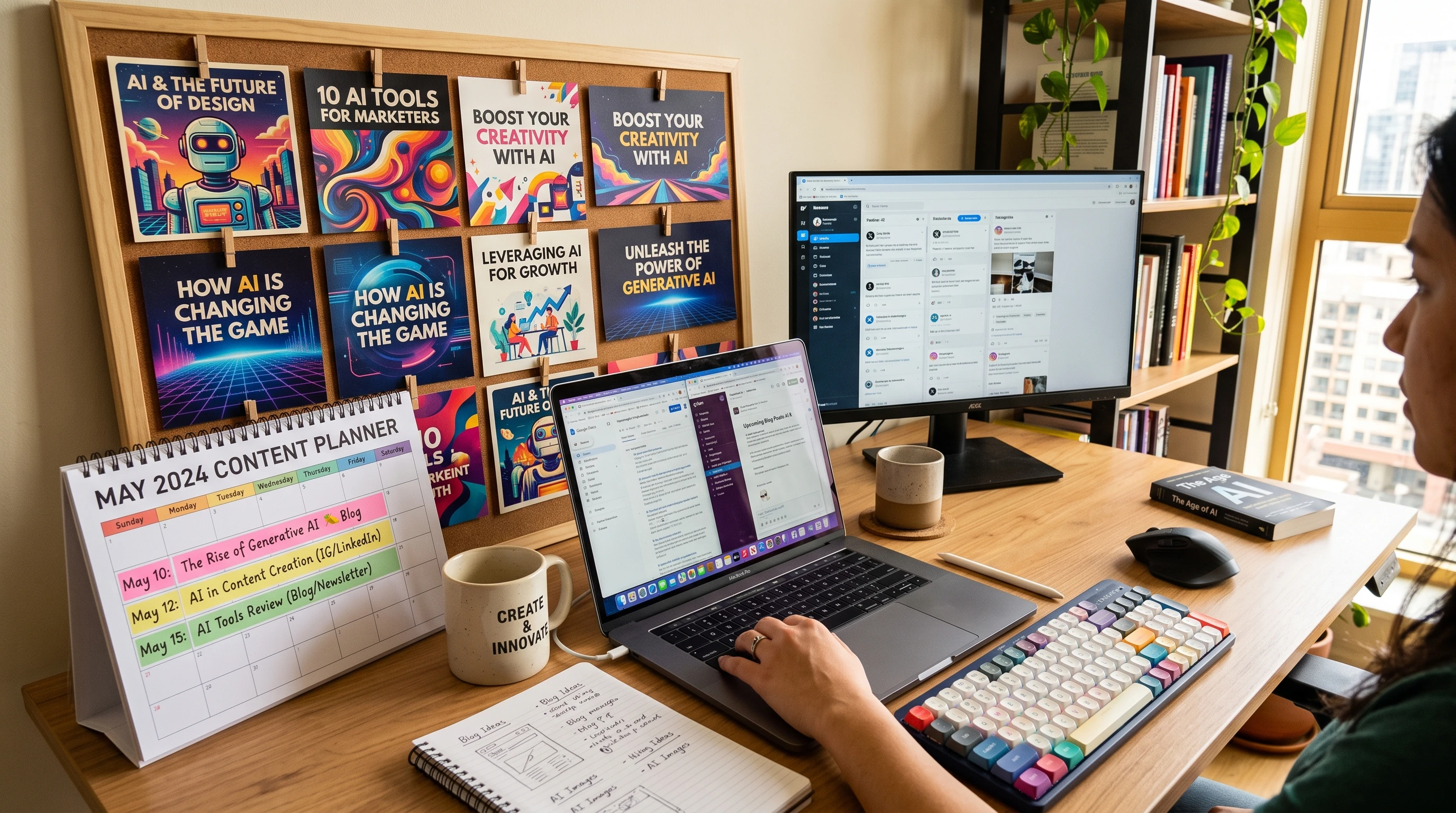
After settling on a tool, lay out a basic content calendar for the month. This can be a basic spreadsheet marked with dates and platforms—no need for anything complicated. Use your AI’s prompt function to generate a list of 30 content ideas tailored specifically to your crowd. Be sure to review and adjust these suggestions so they fit your audience’s interests.
- Outline First: Ask the AI to shape each idea into a rough outline or a simple list of bullet points.
- Full Drafts Next: Use the AI to draft the full piece, and then edit it to sound just like you.
- Repurpose Content: A single blog draft can easily morph into several social posts or newsletters with a few tweaks.
Step-by-Step Guide to Creating 30 Days of Content With AI
I break my AI-assisted content production into manageable, repeatable parts for efficiency and consistency. Here’s my reliable step-by-step process:
- Pick Your Themes: Choose three to five main topics for the month. This helps your voice and brand remain steady throughout.
- Idea Generation: Enter your themes into your AI tool and ask for daily prompts or headlines. If you’ve got holidays or unique events coming up, include them for timely content.
- Bulk Outlining: For every idea, let the AI generate outlines or subtopics. This helps every post stay focused and valuable.
- Create Drafts: Feed outlines back into the AI for full drafts or bite-sized social snippets. Edit for accuracy and make sure every piece reflects your tone.
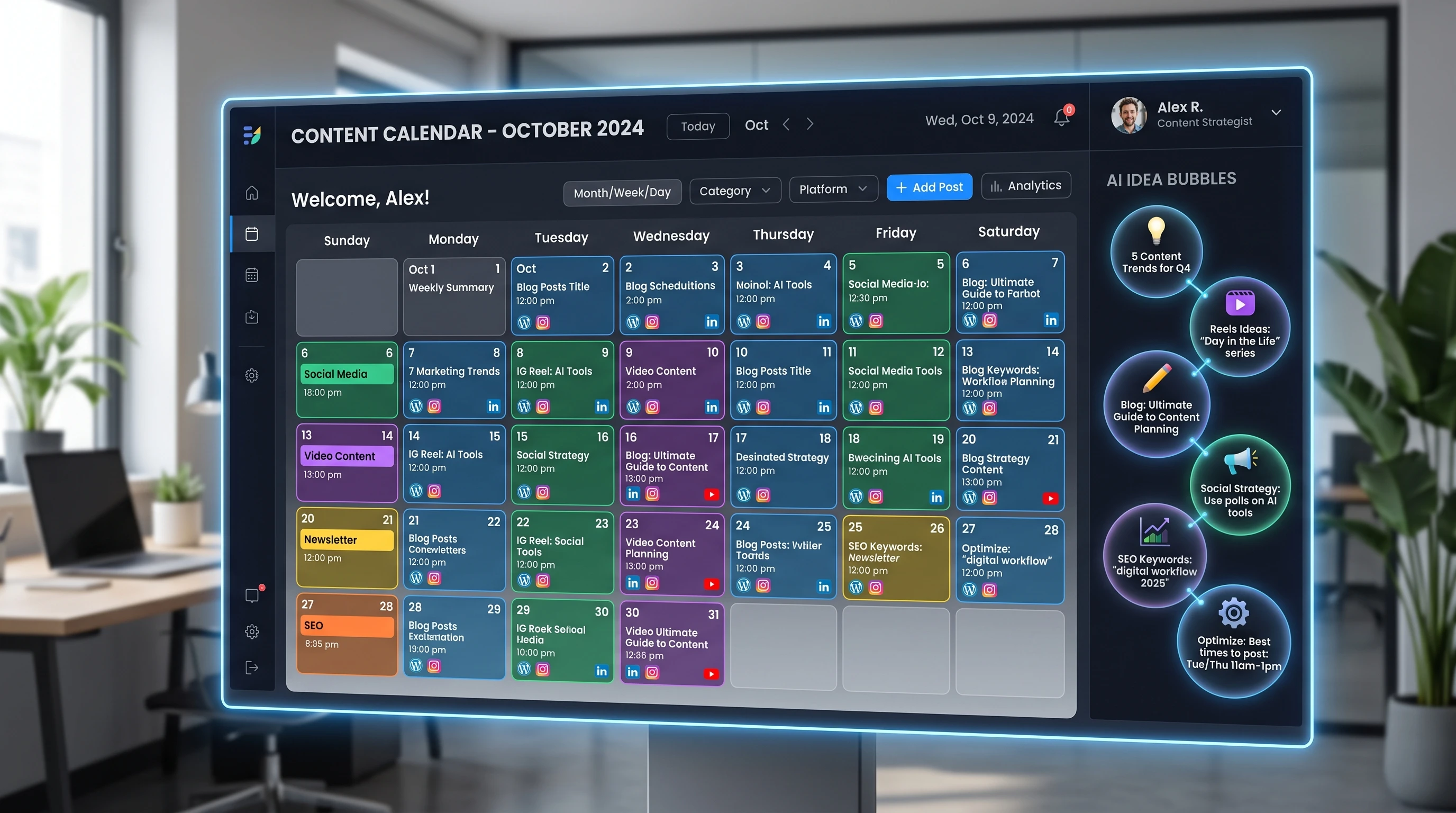
- Customize and Schedule: Add your own anecdotes, polish the drafts, and schedule your posts with tools like Buffer, Hootsuite, or WordPress.
This assembly-line approach fits blogging, social media, newsletters, and even video scripts. Tackling one step at a time keeps everything neat and allows for efficient batching.
Common Challenges When Using AI for Content
AI tools are powerful, but not flawless. Occasionally, they generate clunky language or slip in inaccuracies. Recognizing these issues is the first step in avoiding hiccups that could affect your reputation.
- Bland Language: The AI can default to neutral, generic wording, making it essential to infuse your posts with personal flavor and stories.
- Fact-Checking: Always verify data, quotes, and statistics. Even the best AI models can slip up now and then.
- Repetitive Phrasing: If left unchecked, the AI may repeat sentences or concepts. Mixing up your prompts can keep the content lively.
- SEO Optimization: While AI is quick, it still needs your direction for keywords and headings. Guide the tool using phrases your audience is actually searching for.
How to Sound Human, Not Robotic
It’s important for AI content to feel approachable and genuine. Short sentences, relaxed language, and small touches of humor add personality. Throw in some of your own experiences and reference real-life situations to bring warmth and authenticity, which keeps readers coming back.
How to Avoid Plagiarism and Over-Editing
AI-generated content still needs your careful review. Always run drafts through plagiarism checkers like Grammarly or Copyscape to ensure originality. To stay efficient, set a time limit on editing so you don’t spend more time polishing than writing.
How to Adapt AI Content for Multiple Platforms
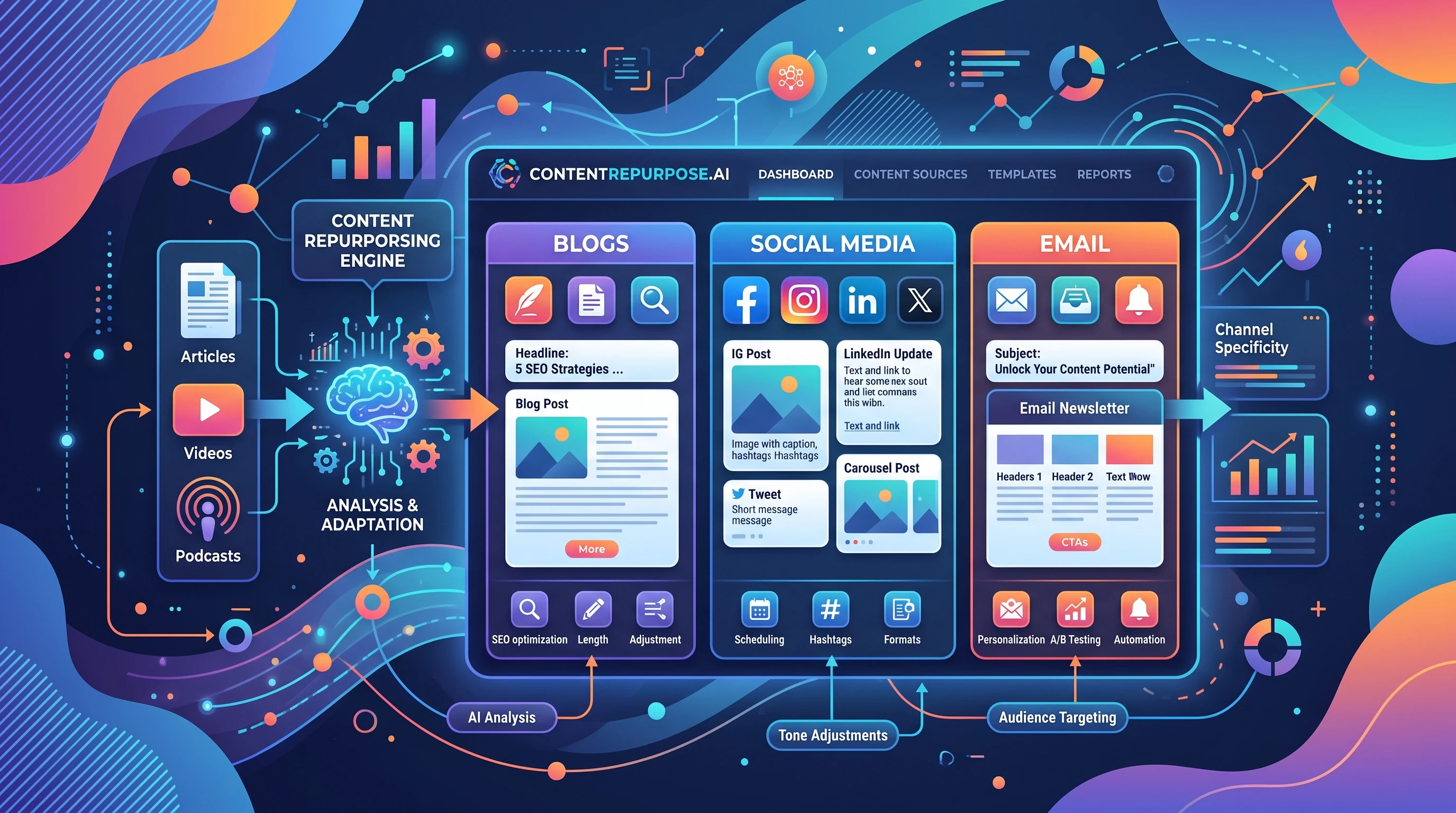
Not every piece of content fits everywhere. Adjusting your AI-generated work for each platform ensures it resonates. For instance, one comprehensive blog article can spawn several social posts and short videos for wider reach.
- Blog Posts: Utilize monthly themes to build connections from week to week, and extract highlights for additional posts.
- Social Media: Convert lists, tips, and guides into carousels, stories, and image captions. AI can even suggest shorter versions and relevant emojis.
- Email Campaigns: Lift snippets or quotes from your drafts and use them in newsletters. AI is good at generating catchy subject lines, too.
- Video Scripts: Use AI to map out introductions and key points for Instagram Reels or YouTube Shorts. Add your own commentary on camera to keep it personal.
Expanding across platforms helps you sharpen your unique style and reach new audiences, making your message more memorable and less generic.
Tips for Building Consistency and Personality
AI can kickstart your ideas, but delivering a consistent, engaging voice is ultimately on you. Mix up your content with humor, how-to guides, and personal experiences to maintain audience interest.
- Keep Your Catchphrases Handy: Stick a note with three favorite expressions by your desk. Work one or two into every AI-assisted piece to stamp your personality on it.
- Weekly Pillars: Split your month into core content types. For instance, share quick tips on Mondays, stories and wins on Wednesdays, and reviews or deep opinions on Fridays. AI becomes much more manageable when there’s a rhythm to follow.
- Try Visual AI Tools: Explore programs like Canva, Midjourney, or DALLE, which turn your words into standout visuals. Elevate your posts with matching graphics that reinforce your tone.
Scheduling and project management tools streamline your workflow. Devote five minutes weekly to check for factual errors, outdated information, or style slips, and adjust as necessary before publishing.
Real-Life Workflow Example: One Afternoon to One Month of Content
Here’s an exact process I’ve used to launch a niche blog or grow an Instagram for a business. With about three focused hours, you can:
- Set up a spreadsheet with 30 entries for daily titles.
- Use ChatGPT or Jasper for 30 tailored post ideas aimed at your main theme or audience.
- Turn each idea into a bulleted list with AI. Merge or tweak similar topics as needed.
- Ask the AI for full-length drafts of your top 7-10 ideas and use it for quick captions and tips for the rest.
- Paste your polished content into a scheduler, run a plagiarism check, add emojis or hashtags, and finalize your publishing schedule.
It might take a little longer your first try, but after a couple of rounds, you’ll finish even faster. Every month, swap stories and refresh your idea pool to ensure ongoing variety.
Frequently Asked Questions
New to AI-driven content? Here are some common questions and helpful answers.
How do I make sure my AI-generated posts don’t sound generic?
Answer: Always edit the draft to match your tone. Add personal stories, examples, and preferred words. AI is a jumping-off point—spice it up with your opinions or anecdotes to make it truly yours.
What is the best AI tool for this workflow?
Answer: For blogs, ChatGPT and Jasper both offer solid options. Canva and DALLE shine for visuals. Experiment with free trials to figure out which combination matches your style and needs.
Is AI content good for SEO?
Answer: Yes, if you include relevant keywords and write clear meta descriptions. Double-check facts and enrich posts with personal links, case studies, or expertise. Remember, Google still favors people-first content.
How long does it take to create a month of content with AI?
Answer: With a little practice and the right setup, you can easily draft, edit, and schedule 30 posts in three to four hours, covering everything from fleshing out ideas to queuing them up for publishing.
Wrapping Up: Creating 30 Days of Content With AI
AI-powered content creation is a true time saver for creators and marketers. To get the best results, always inject your own tone and double-check for accuracy. Building your calendar first, feeding ideas into your preferred AI tool, and tweaking each piece means your audience gets content that’s engaging and true to your voice.
The more you work with these tools, the better and faster you’ll get. In just one focused afternoon, anyone can generate a month’s worth of attractive, original posts. If you’re aiming to save time without sacrificing quality, give this workflow a try.
How do you feel about this article? I created it using Wealthy Affiliate’s AI writer and purposely made no modifications to it to show what’s possible now with AI. It only took the AI writer to create the content and images in a few minutes. I can even bulk-write thirty articles at one time with nothing but a title and a few instructions that I have learned help AI create my content.
I use ChatGPT as well for some things, but I like WA’s AI writer for my website content!
Got questions or unique AI tips? Drop a comment below! There’s always more to learn and new ways to take your content game up a notch.