
AI video tools have changed the way I create content. Whether I want to edit fast, craft attention-grabbing scenes, or add voiceovers, there’s pretty much an AI video tool for every part of the process now.
If you make content for social media, YouTube, or business, these tools save time and help your videos look great even if you’re working solo. Here’s a guide to help you track down some of the best AI video tools I recommend for any content creator wanting to take their production up a notch.
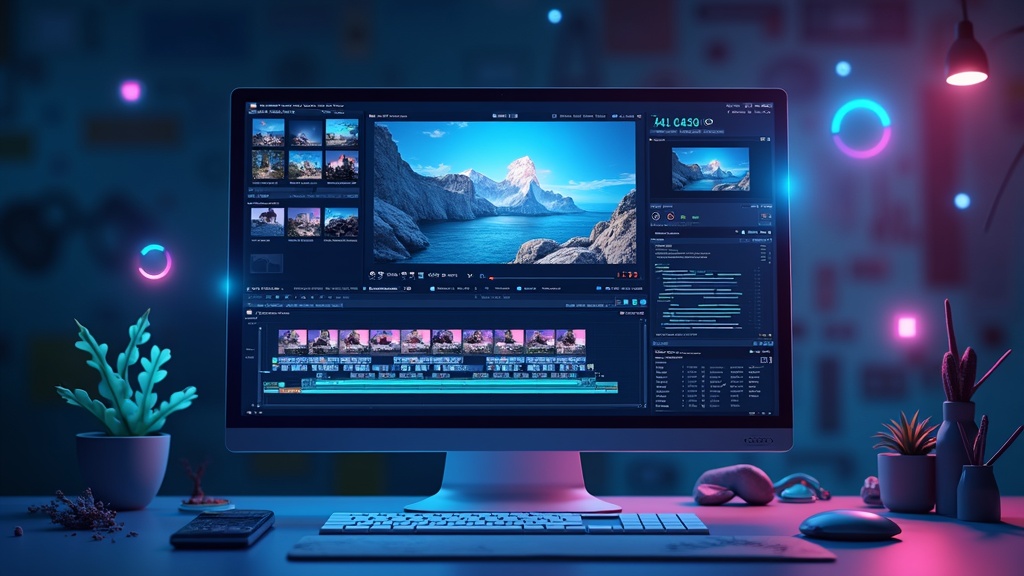
Why AI Video Tools Are Useful for Content Creators
Before AI came along, video editing and production could take loads of time. Most creators had to handle tons of manual tasks, like cutting footage, adjusting colors, or syncing audio. AI tools handle many of these boring or complex steps with just a few clicks, so I get more time to focus on ideas and style.
The explosion of cool video content on platforms like Instagram Reels, TikTok, and YouTube has changed what audiences expect. Businesses also use video more for marketing, training, and announcements. AI tools make it possible to meet all these demands, even on a tight budget or schedule. Using smart editing, auto-captions, or easy background removal helps projects move faster and look professional, even if you don’t have fancy software or loads of experience.
AI video tools make creative work feel way less technical or intimidating. Even if I don’t know much about cinematography or editing, these platforms keep the process simple. If you value time, consistency, and efficiency like I do, these tools are really handy.
Getting Started: Essential AI Video Tools to Know
There are tons of AI tools promising to be the next big thing, but a handful of them actually stand out and are pretty easy for anyone to pick up. I’ve tested a bunch and picked out the types that cover all the basics, from scriptwriting to automatic video assembly. Here’s what I often reach for:
- AI Video Editors: Programs like Descript or Wondershare Filmora use AI for things like automatic scene detection or “magic” edits. You can trim filler words, arrange clips, and even generate captions in minutes.
- AIPowered Animation: Tools such as Synthesia let you create videos with lifelike digital avatars. This is perfect if you want to add speakers or explainer segments without hiring actors.
- Text-to-Videolow-resolution Creators: Platforms like Pictory or Lumen5 turn blog posts and scripts straight into video with autogenerated scenes, visuals, and synced audio. Great for repurposing or quick marketing videos.
- AI Voice Generators: Tools like ElevenLabs or Murf bring voiceover tracks to life, letting you pick a digital narrator or even clone your own voice.
- AI Video Upscalers: Sometimes I want to improve low-resolution footage. Services like Topaz Video AI can pump up video clarity and detail with a high tech approach.
Each of these has plenty of variations and unique features, but sticking to simple, versatile programs is a smart starting point if you’re new to AI in video production. Taking time to test a couple of tools with your own workflow helps you zero in on what brings the most value.
Quick Guide to Unlocking the Power of AI Video Tools
Jumping into AI video content is easier than ever. There are loads of tools out there, but it helps to have a plan so you don’t get overwhelmed with options. Here are some easy steps to set up your workflow:
- Pick a Core Tool: Choose one reliable video editor that uses AI for automating edits, such as trimming, captioning, or color correction. Lots of these offer free trials or free versions, so you can try before you commit.
- Map Your Content: Write a short script or outline. AI text-to-video tools turn your ideas into scenes, but clear instructions always give better results.
- Add AI Voice or Animation: Want to take production up a notch without extra gear? Try out an AI avatar or voiceover generator so your videos feel polished.
- Test, Preview, Repeat: AI video platforms usually provide instant previews. Tweak the script, swap visuals, and use the autoedit tools until everything feels smooth. Most tools are quick to update.
- Export and Share: When you’re happy with your video, export in the highest quality available. Sharing on social or business channels is just a step away.
Most importantly, experiment with different combinations until you find a flow that saves you time and fits your style. AI video tools can handle the repetitive stuff, so you can get creative. The more you use these tools, the more natural they become in your process, eventually letting you dream up bigger and bolder projects.
What To Look For When Choosing AI Video Tools
I’ve noticed not every AI video tool fits every creator. There are a few things you should think about before paying or getting fully invested:
- Ease of Use: Some tools have steep learning curves and too many settings. For most creators, a user friendly interface is more important than a long feature list.
- Export Quality: Check if the tool exports in the right format and quality for your platforms. Low quality exports can hold back your whole project.
- Speed and Automation: Look for programs that process edits or exports quickly and let you automate as many tasks as possible. Batch editing and autocaptions are big time savers.
- Pricing and Free Trials: There’s a range of plans. If you’re just getting started, free tools or freemium versions let you get a sense of what matters most before investing.
- Integrations and Extensions: If you use other tools for stock content, sound effects, or analytics, consider whether your AI video platform works with them easily.
Sometimes it makes sense to mix and match tools or just use the ones that shine at specific tasks, like script to video or AI voiceovers. Careful research helps buyers make smart choices and get more out of their investment. A little extra testing up front saves lots of frustration down the road.
Ease of Use
AI tools should make things simpler, not more complicated. I always lean toward platforms with drag-and-drop timelines, simple templates, and a welcoming dashboard. Look at guides, tutorials, or support options before you start, especially if you’re not experienced with video editing. The right introduction or walkthrough can make all the difference when you’re learning a new tool.
Pricing and Free Trials
Most AI video tools offer free versions or trial periods. This lets you test things before committing. I usually recommend starting free and upgrading if the experience really delivers value. Just keep an eye on watermark limits and export restrictions in free plans, a detail that’s easy to overlook.

Big Challenges and Limitations of AI Video Tools
AI video tools come with major advantages, but they’re not always perfect. Here are some real issues to think about before you build a workflow around them:
- Creativity Limits: Automated edits don’t always match your vision. Sometimes you’ll have to tweak the script or visuals by hand.
- Output Mistakes: Speech-to-text or autocaption features can mishear words or names. Always double check before publishing.
- Branding Gaps: Some tools have limited templates for branding. Customizing fonts, colors, and style can be tricky.
- Processing Speeds: With complex videos, even advanced AI can take time, especially on slower machines or internet connections.
It’s helpful to accept these tools as collaborators, not replacements. Mixing manual tweaks with AI automation is usually the sweet spot for quality results.
Working Around Creativity Limits
Sometimes an AI tool will autoedit in ways that just don’t feel right. Whenever I spot something off, I adjust scene timing or pick a better template. Blending AI suggestions with my own ideas keeps the creative control in my hands and gives my projects a unique touch.
Proofreading and Branding
AI generated captions, subtitles, or voice overs are usually accurate, but not perfect. Quick proofreading fixes most issues, and bringing branding in with your own logos or overlays can help things look consistent. Don’t be afraid to go back in and make small changes, it pays off.

Expert Tips for Using AI Video Tools
I’ve tried plenty of ways to get the most out of these platforms. Here are some tips that have worked really well for me and other creators I know:
Optimize Your Script: Clear, simple scripts help text-to-video and text-to-speech tools generate more accurate results.
Keep Files Organized: Saving assets, templates, or edits in labeled folders makes it easier to batch process or reedit future projects. Organization saves time in the long run.
Try Different Tools for Different Needs: No AI video software does it all perfectly. Sometimes I use one tool for autocaptions, another for upscaling, and then combine clips in a main editor for the final product. This mixing approach helps each part shine.
Make the Most of Community Resources: Join forums or creator groups for learning and troubleshooting. Tool updates and user tips can help smooth out any frustration. Other users sometimes have workarounds or hacks you might never figure out solo.
With some trial and error, you’ll find a workflow that truly cuts editing time in half and gives your creativity a big boost. Staying curious keeps your content fresh and helps you get ahead as platforms and AI features shift and improve.
AI Video Tools in Real Work: How Creators Use Them
AI video tools work just as well for personal projects as they do for big marketing campaigns. Here’s how other creators and I have put them to work:
- Social Media Marketing: Quick AI-edited reels and stories keep pages active with less hassle, reaching new followers and saving on agency costs.
- YouTube Tutorials: Automated captions and text animations make videos easier to watch and help with SEO, bringing in more views and engagement.
- Training Videos: Digital avatars and scripted AI narrators let brands create onboarding videos without hiring a whole production team. This approach saves money and time.
- Content Repurposing: Old blog posts or podcasts can become video highlights or explainer clips, keeping content fresh across platforms. It’s an easy way to squeeze more value out of your ideas.
Relying on AI for repetitive or time-consuming chores keeps more energy and time for brainstorming, storytelling, and making more content. You can focus on what you love while the AI takes care of the heavy lifting. The more you experiment, the better your workflow becomes.
Frequently Asked Questions
Here are some questions I hear a lot from fellow creators when it comes to AI video tools:
Question: Are AI video editors expensive?
Answer: Many offer free plans or trial versions, and paid plans range from a few dollars a month to more. Pricing depends mostly on features and export quality, so there’s usually something for every budget.
Question: Do I need fast internet for AI video editors?
Answer: Most online AI editors process everything in the cloud, so decent upload and download speeds help. Local desktop AI tools depend more on your computer’s power, but a strong internet connection makes the process faster and smoother, no matter what.
Question: Can I use AI video tools on my phone?
Answer: Absolutely. Many platforms have mobile versions or web access for editing on the go. Some advanced features are desktop only, but basic editing works fine on modern phones and tablets.
Question: Do AI tools replace professional editors?
Answer: AI helps automate editing and repetitive tasks, and it’s worth using for quick projects. For complex or highly branded videos, human editors add more creativity and a personal touch. I recommend a balanced approach.
Final Thoughts
Building a solid workflow with AI video tools has helped me spend less time editing and more time creating. Whether I want to generate fresh reels in minutes, rework old footage, or just make my videos stand out, these platforms offer the flexibility and efficiency that keep content fresh. Trying out a few tools for yourself is the best way to see which ones fit your projects and creative goals.
Want more tips and reviews for content creators? Check out my latest articles and share your questions anytime. I’m always happy to help you pick the right AI video tool for your project.

If you have questions or want to share your experience with AI video creation, add your thoughts in the comments or browse other articles here. By trading tips and ideas, we can keep building a trusted, creative space for everyone!
If you want to see an example of a video I created using my favorite AI video creation tool, check out this post!
If you want to know more about Howard, click here!