
AI-generated videos have taken the web by storm recently. From tutorials and ads to explainer content and creative experiments, these videos are popping up everywhere. Thanks to the rapid growth of artificial intelligence-driven tools, making videos no longer requires deep technical knowledge or expensive equipment.
Still, to truly grab attention and keep viewers watching, you’ll want to put care into optimizing your AI-generated videos. I’m excited to share my top tips and tricks to help you polish your creations, save time, and get standout results.
Getting Started with AI-Generated Videos
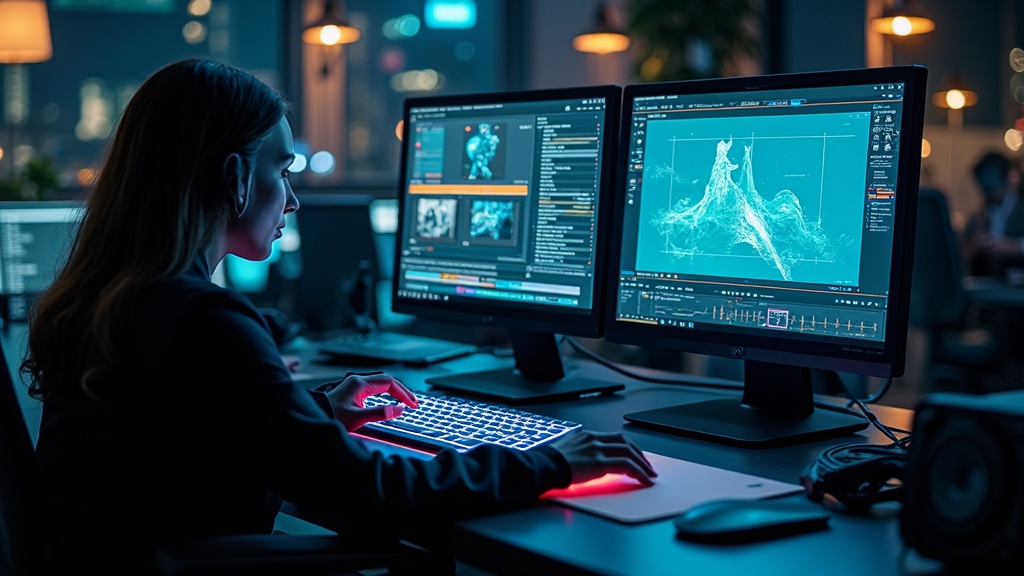
AI video generators use smart tools to make video creation fast and user-friendly. These platforms take your scripts, images, or slides and quickly turn them into video, often delivering built-in voiceovers and animated visuals. You don’t have to be a seasoned video editor to get started. Still, some pre-planning makes a huge difference.
The basics for a good AI-generated video start with a clear message and a solid plan. It helps a lot to draft a simple storyboard, even just some notes on paper. Consider what you want to communicate, who your viewers are, and what outcome you’re hoping for.
- Choose the right platform: Tools like Synthesia, Pictory, HeyGen, and InVideo all offer various templates and options. Pick one that fits your objective, style, and budget.
- Keep it simple: Short videos (under three minutes) work best for holding attention. While AI can make longer content, shorter videos are more effective for most audiences.
- Use high quality assets: Make sure your images, graphics, and music are crisp and clear. The quality you put in affects the quality of the final video.
Starting with strong materials gives the AI a real boost and sets your video up for success right away.
Writing a Script That Works for AI Video
AI tools can read your scripts and turn them into voiceovers or text slides. However, not every script comes across naturally in synthetic voices. I always suggest writing your script as if you were speaking directly to someone. Short, conversational sentences are much easier for both AI and your audience to follow.
Some script-writing tips for AI videos:
- Avoid complicated or technical words unless necessary. Everyday language is more approachable. I use ChatGPT to assist in creating great video scripts!
- Break up big blocks of text. Every couple of sentences, add a pause or start a fresh section.
- Be direct with calls to action—say things like “Visit our website for more” or “Subscribe for updates.”
I also recommend listening to your draft script with a free online text-to-speech tool before uploading. Hearing it read aloud reveals if anything sounds robotic or awkward, allowing you to tweak those lines. Smooth, friendly wording makes your AI-generated video feel more welcoming, even with a computer-generated presenter.

How to Improve Visual Quality in AI Videos
Visuals matter a lot for viewer engagement. Most AI generators provide a set of default images, icons, and transitions. To make your video unique, customize these wherever possible. Instead of relying only on automatic suggestions, add your brand’s colors, logos, or chosen imagery to align with your message.
Here’s what works for sprucing up visuals in AI video tools:
- Upload custom media: Bring in your own photos, snapshots, or graphics to reflect your branding.
- Pick templates carefully: Spend some time browsing templates. Some are too generic, while others are built for specific purposes like business, teaching, or entertainment.
- Control pacing: Avoid quick slides or too many overlapping animations. Use gentle transitions, slow down important text or visuals, and don’t let key points rush by.
- Adjust aspect ratio: Square or vertical formats are best for social feeds, while classic 16:9 works for YouTube and most websites.
Even small tweaks changing colors, swapping images, or arranging scenes make your video stand out from the default look.
Boosting Audio and Voiceover Quality
Monotone robotic voices can lose an audience quickly. While AI voices keep improving, some work is needed to get as close as possible to natural delivery.
- Choose the AI voice that matches your audience. Experiment with available accents, tones, and personalities until you find one that fits. I created my own AI version of my voice, with video, to use in my AI videos.
- Add natural pauses by using punctuation in your script, or use editor tools to space out your lines and give the voice time to breathe.
- When possible, mix AI voices with human audio. For example, record your greeting or closing to add warmth.
- Include background music or subtle ambient sounds. Just keep this lower than the main voiceover so viewers can concentrate on the message.
I like to test final audio using headphones, odd robotic inflections or timing mistakes are easier to spot that way. Tidy up those bits for a smoother sound experience.
Editing and Polishing Your AI-Generated Video
Even with top AI tools, glitches sometimes sneak in strange cuts, out-of-place transitions, or mismatched visuals. Giving your video a quick check before publishing can help you catch and fix those flaws. Export your video and jump into an editor like CapCut, DaVinci Resolve, iMovie, or even your AI tool’s built-in manual editor.
My editing checklist includes:
- Cut out odd, unnecessary, or off-topic scenes. Shorter videos nearly always keep attention better.
- Match the voice with visuals so graphics and on-screen text sync perfectly with what’s being said.
- Check captions. They need to be easy to read and appear in time with the audio.
- Choose simple transitions. Avoid anything too flashy that could distract from your message.
- Add your branding like a logo intro, outro, or discreet watermark to help your content look more professional and recognizable.
Putting in a few extra minutes for final tweaks can give your AI-generated video a polished, professional edge.
Tips for Getting Better SEO and Engagement with AI Videos
If you want people to find and watch your videos, you’ll need to think about search optimization and audience engagement. This can mean the difference between a trickle of views and hitting real targets. Here are a few strategies that consistently work for me:
- Give your video a strong title and description: Use keywords relevant to your viewers’ searches. Write clear descriptions, and be sure to add hashtags when posting on social media.
- Design an eye-catching thumbnail: An interesting thumbnail dramatically boosts clicks. Some AI tools auto-generate thumbnails, but design your own for YouTube or similar platforms for maximum impact.
- Always include captions and transcripts: Many people watch videos without sound, especially on mobile. Burned-in captions or subtitle files can increase watch time.
- Link out and use calls to action: Direct viewers to your site, a sign-up page, or your next video. Straightforward calls to action can mean more subscribers or leads.
- Post your video across multiple channels: Expand your reach by sharing in forums, email newsletters, relevant online groups, and social feeds.
Because search engines can’t “see” video, providing captions and transcripts gives them more context. This helps your video appear in Google, Bing, and even AI-driven answer engines, increasing organic discovery.

Common Problems and How to Fix Them
Even advanced tools aren’t perfect. Here are some issues I see most in AI-generated videos, plus how to address them effectively:
- Monotonous audio: Try switching AI voices or breaking up longer sentences. Adding music and sound effects also brings energy and keeps things lively.
- Poor image choices: Replace any AI-suggested visuals that don’t make sense with options that better match your story or script.
- Timing problems: Use editing features to fine-tune the speed of slides or animations until everything flows smoothly.
- Unreadable text: Use large fonts in strong colors with high contrast. This matters even more for mobile viewers.
- Generic look or feel: Personal touches, like a quick intro, unique graphics, and customized outros, make your AI-generated video memorable.
Tackling these common issues can really step up the quality and shareability of your video project.
Frequently Asked Questions
Here are some of the most common questions people ask when starting with AI-generated videos:
Question: How long should my AI-generated video be?
Answer: I recommend keeping videos under three minutes for better watch rates. Very short works best for social platforms like Instagram or TikTok.
Question: Are AI-generated videos good for business and education?
Answer: Definitely, they work for marketing, internal training, explainer videos, and lots more. They save huge amounts of time and help scale content.
Question: How can I make my AI video less robotic?
Answer: Use casual, conversational language, try several different voices, mix in human-recorded clips or background music, and always do a manual pass at the end to polish anything that sounds unnatural.
Question: Do AI tools need crediting?
Answer: Usually, you don’t have to cite the tool, but read the terms for each service, especially for commercial use. Crediting can be helpful if you want to show off your process.
Question: What free AI video generator is best?
Answer: It depends on your project type. I like Pictory for education-focused short videos, and Canva’s AI tools for simple promotional clips. Try their free options to pick the one you like most.
Wrapping Up: Optimizing Your AI-Generated Videos
Making great AI-generated videos is all about starting with a strong script, tweaking your visuals and audio, fixing the little details with an extra edit, and sharing where your viewers hang out. With these ideas, you can set your videos apart, looking sharp, sounding natural, and connecting with real people, no matter what platform you use.
Explore different tools, play around with your script style, and check over every detail. That’s where the most memorable and effective AI content really comes from.
If you have questions or want to share your experience with AI video creation, add your thoughts in the comments or browse other articles here. By trading tips and ideas, we can keep building a trusted, creative space for everyone!
If you want to see an example of a video I created using my favorite AI video creation, check out this post!
If you want to know more about Howard, click here!