
AI-powered editing is changing how videos are made, edited, and shared. Even just a couple of years ago, pro-level editing meant hours behind a desk, tweaking clips frame by frame. AI tools are now taking over many of those repetitive tasks, letting editors focus more on creativity and less on technical grunt work.
Whether you’re new to video production or you’re already shooting and editing content, understanding how AI-driven editing works can really open up new ways to work smarter and faster.
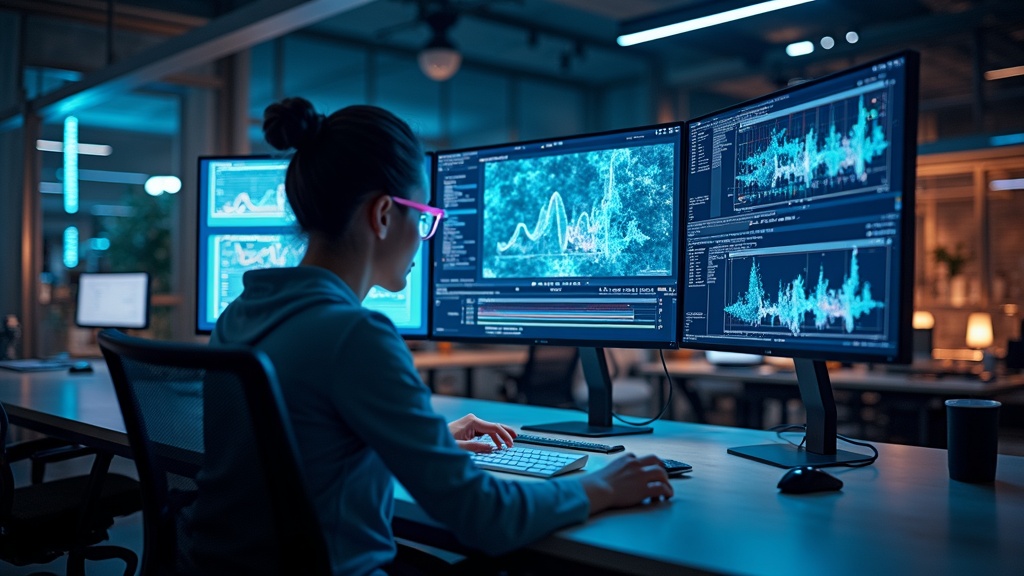
Why AI Editing Is Gaining Speed in Video Production
Video production is everywhere, from TikTok shorts to feature films. As cameras and editing tools have gotten cheaper, almost anyone can make video content. The catch is that good editing still takes a ton of time. That’s why AI-enabled editing is catching on. It automates things like cutting out silences, syncing audio, color matching, and even generating subtitles almost instantly.
This new tech is not just for big studios. Plenty of apps and online editors are using AI to make high quality video editing accessible to solo creators and small businesses. Growth in the video production software market reflects this rapid change.
According to Fortune Business Insights, AI advances are pushing media creation tools into a new era of speed, scale, and customization. For content creators who want to keep up with fast moving trends, these new features are pretty handy.
Big names like Adobe Premiere Pro, Final Cut Pro, and DaVinci Resolve are all adding more AI-powered options to their products. Smaller tools like Descript or Kapwing are taking it one step further, marketing themselves primarily as AI-powered editors. Cloud-based software especially benefits from AI, as it can harness more data and processing power than traditional apps.
How AI Video Editing Works: The Basics
AI-powered video editing uses machine learning and computer vision. The software has been trained on thousands of examples so that it can detect what’s happening in your clips. That could mean cutting out awkward pauses during speech, balancing colors automatically, or recognizing faces and objects.
A typical AI editing workflow looks like this:
- Automated cuts: AI tools detect scenes, switch angles, or remove dead air with just a click.
- Smart audio: Background noise removal and voice balancing are much easier when AI can separate and clean audio tracks.
- Automatic captions: Transcription is done in seconds, making videos more accessible and saving lots of manual typing.
- Instant color correction: AI scans your footage and suggests the best way to match tones between shots, like magic for color grading.
- Object tracking: AI picks out faces, pets, or objects and can follow them through frames, letting you add labels or effects super easily.
Tools like RunwayML, Lumen5, Heygen, and Adobe’s Sensei are leading the charge on these features. Instead of being buried in timelines and settings, editors can tap a button and get fast results.
Key Advantages of AI in Video Editing
AI editing has some cool advantages that make it worth considering for all kinds of creators.
- Speed: AI can process hours of footage in minutes, picking out highlights, syncing audio, and removing mistakes automatically.
- Consistency: Automated color and audio fixes help videos maintain the same look and feel, even if you recorded clips days apart.
- Accessibility: Automatic subtitles and translation features open content up to wider audiences without the need for outsourcing.
- Cost savings: Less time editing means you can take on more projects or just spend more time developing creative ideas.
For solo creators or small production teams, these perks add up. Even larger studios benefit by cutting down on repetitive work and freeing up talented editors for bigger decisions. If you’ve ever had to edit a wedding, tutorial, or long conference video, features like these are lifesavers.

Challenges and Limitations of AI Video Editing
AI video editing is powerful, but it’s not all smooth sailing. Understanding the weak spots helps avoid surprises when you get into it.
- Loss of creative control: AI suggestions are fast, but sometimes they aren’t what you’re going for. You might need to tweak edits to fit your personal style.
- Accuracy issues: Subtitles and cuts are not always perfect. Strong accents or background noise can throw off AI transcription, so a quick human check is always a good idea.
- Limited by training data: AI tools learn from what they’ve seen, so unusual footage or creative effects might not get processed correctly.
- Privacy risks: Using cloud based tools means your footage goes online. Always check privacy settings and terms, especially with sensitive or client content.
- Cost of top tier tools: Many AI editing features are gated behind premium plans or subscriptions. Factor that into your workflow and budget.
Being aware of these downsides makes it much easier to plan ahead. For most simple tasks, AI editing works great, but for really unique or complicated projects, you might still want manual control.
How to Start Using AI for Your Video Projects
Adding AI to your editing workflow doesn’t mean learning everything from scratch. Most tools work side by side with the editors you already use. Here’s how to get started:
- Try free online editors first: Websites like Clipchamp and Kapwing have easy to use AI features that anyone can test out with no big learning curve.
- Explore plugins for existing editors: If you use Adobe Premiere or Final Cut, look for AI-powered plugins that add automated cuts, color, or audio fixes.
- Feed the AI good data: For best results, give the AI clean footage. Good lighting, clear audio, and high resolution help AI make smarter choices.
- Stay hands on: Use the AI features to speed up boring tasks, then jump in and add your own edits to keep the video unique.
- Experiment with templates: AI can help structure storyboards or recommend the best pacing. Use templates as a starting point, then make it yours.
Practicing with real projects is the best way to learn. You’ll start to see quickly where the AI helps and when it needs a little help from you. If you’re interested in learning more, plenty of YouTube channels and online courses offer mini tutorials for the most popular AI video editors, giving you the opportunity to dig into specific tools or workflows, depending on your project needs and personal workflow style.

Popular and Emerging AI Editing Tools
The AI editing landscape is changing fast. Some of the standout platforms right now include:
- Descript: Known for its “edit video like a document” approach and instant audio cleanup.
- Lumen5: Turns blog posts or scripts into slick short videos with one click.
- RunwayML: Offers video inpainting, motion tracking, and other wild effects with AI at the core.
- Adobe Premiere Pro (Sensei): Adobe’s AI tools automate everything from scene detection to smart reframing for social media.
- Magisto: Great for simple, fast, automated video creation for small business use.
Other emerging tools like Pictory, Wisecut, and Synthesia are pushing the boundaries even further, making high quality video easier for marketers, educators, and even filmmakers.
If you’re curious about the latest features, following software updates and creator forums can be super useful. AI is also changing how collaborative editing works; cloud platforms allow multiple editors to work together, and AI can sync projects or flag edits in real time.
Real World Examples: AI Editing in Action
AI-powered video editing is already behind the scenes in lots of places:
- Social media: Fast, automatic editing helps influencers and brands crank out daily content while keeping up with trends.
- Corporate training: Companies use AI to automatically generate and update training videos and presentations.
- Film trailers and teasers: Editing houses use AI to sort through hours of footage, narrowing down the best moments for cutdowns.
- Education: Teachers use AI-powered tools to produce lesson recaps, highlight reels, and captioned videos for students.
I’ve seen small YouTube channels double their upload speed by adopting AI cutting and caption features. Even wedding videographers mention that auto audio cleanup makes a big difference in tight deadlines. These changes are not just about convenience; they’re shaping how stories get told across platforms.
In marketing, teams trim hours off the typical review process by leaning on AI for first drafts or rough cuts. In video journalism, rapid AI-driven subtitling and translations get news out to global audiences, sometimes within minutes of an event. As more companies adopt AI tools, expect to stumble upon even more creative uses popping up everywhere.

Frequently Asked Questions About AI Video Editing
Here are some common questions and straightforward answers to help you get up to speed:
What types of video editing can AI do automatically?
AI handles basic cuts, transitions, noise reduction, auto captioning, color matching, scene detection, and even some creative effects. More complex edits, like style choices or custom motion graphics, often need a human eye.
Does AI video editing work on my phone?
Yes, lots of AI-powered editing apps run straight from your phone. Look for apps like CapCut, InShot, or Magisto for mobile-first editing workflows.
Is AI editing replacing human editors?
Not really. AI is a tool that makes routine jobs faster, but creative decisions still need a person’s vision. Human editors are just using AI to supercharge their skills and speed.
Are there free AI video editors?
Many online tools offer free tiers with basic AI features. For advanced options or no watermarks, you might want a paid plan.
How can I make sure my AI-edited video still feels unique?
Use the AI tools to handle boring work, but customize your storyline, pacing, music, and effects. That personal touch keeps content fresh and authentic. Remember to check in on changes as AI sometimes makes choices that need your final say.
Getting Ready for the Future of Video Editing
AI-powered editing is making video creation faster, easier, and more open to everyone. Whether you create vlogs, ads, tutorials, or films, you can change the way you work by adding these tools. Staying curious and playing with new AI features helps you grow with the industry.
I’m always up for trying a few new apps, seeing which ones actually make my process smoother. Video storytelling is moving fast, and AI is right at the center of what’s coming next. If you keep an eye out for software updates and listen to what other creators are using, you’ll spot the next must-have AI tool before it goes mainstream.
If you have questions or want to share your experience with AI video creation, add your thoughts in the comments or browse other articles here. By trading tips and ideas, we can keep building a trusted, creative space for everyone!
If you want to see an example of a video I created using my favorite AI video creation, check out this post!
If you want to know more about Howard, click here!