
If you’re running marketing campaigns, finding ways to boost results can be a bit tricky, especially with all the noise online. AI-powered video analytics can totally change how you approach things.
These tools let you unlock new insights from your video content, spot trends, and tweak your campaigns for better performance. I’m sharing what I’ve learned after trying different video analytics platforms and seeing firsthand how much more effective marketing can become with the help of artificial intelligence.
Understanding AI-Powered Video Analytics
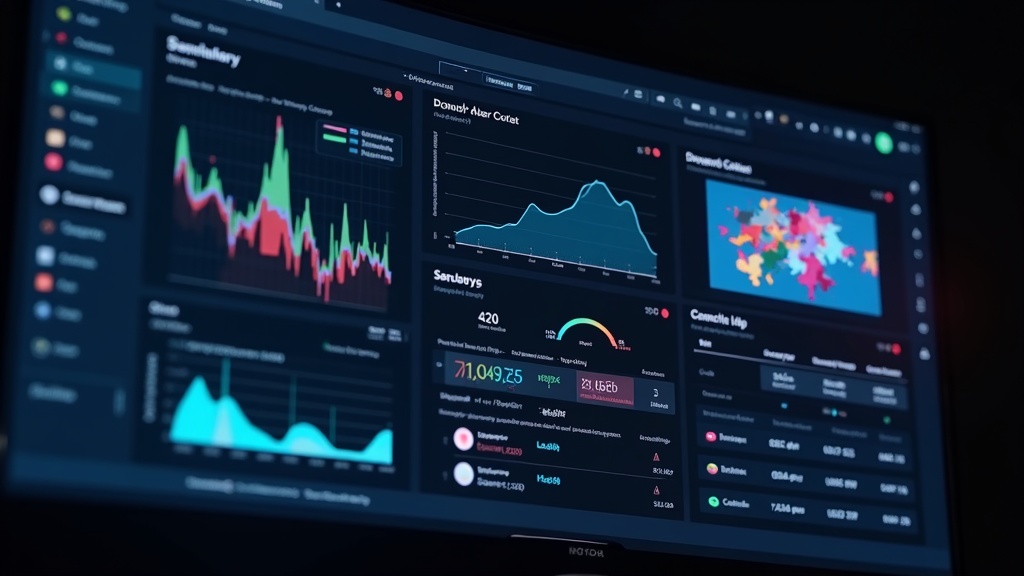
AI-powered video analytics uses machine learning to study videos and pull out useful information. Instead of just counting views and likes, these tools look at how people interact with your content, how long they stay engaged, and what they ignore. This tech can pick up facial expressions, spot logos, track brand mentions, and even figure out the mood of your audience. For marketers, it’s a lot more helpful than basic metrics because it uncovers new angles and real behavior patterns.
In the past, you’d have to spend hours watching campaign videos and making notes. Now, AI does it in seconds. That means less guesswork and more data to back up your decisions. I noticed that campaigns get better over time because you quickly spot what works and what falls flat. Marketers in retail, entertainment, and even nonprofit spaces are starting to use these analytics to see exactly which parts of their video campaigns drive real action.
Today, some analytics tools even check out how viewers scroll, rewind, or mute certain scenes, giving you real feedback that would be impossible to gather manually. You get to see which images, sounds, or calls to action pop for your audience, so you can trim the fluff and double down on the parts that really matter.
How AI Video Analytics Steps Up Marketing Campaigns
Traditional marketing tools give you numbers, but AI-powered video analytics shows the why behind those numbers. Brands get feedback not just on overall engagement but on specific elements inside the videos. For example, if your logo pops up in a scene, the platform tracks how many viewers pause, skip, or watch more closely at that moment. That’s the sort of detail you can’t get from normal analytics.
One example: A beverage company used AI video analytics in their social ads. The company learned viewers were dropping off when the main message was buried at the end. After moving their big announcement to the start of the video, engagement shot up. That sort of quick feedback loop is pretty handy for both big brands and small businesses.
AI tools don’t just point out problems; they also highlight unexpected wins. Let’s say you use a certain music track, and analysts find that audiences tend to replay the video more when that music plays. Now you know to lean into that style in future campaigns. There are endless ways to tailor marketing strategies once you have this deep view into viewer behavior.
For instance, an online education company found that videos featuring instructors using hand gestures had noticeably higher watch times. This kind of detail lets them train their team for future shoots, leading to an overall lift in engagement and course signups.
Essential Features to Look For in AI Video Analytics
Shopping for an AI video analytics platform can feel overwhelming with all the choices out there. It’s worth knowing what features matter most so you don’t waste time with tools that don’t fit your goals. Here are a few that I find really helpful:
- Automatic Scene Detection: AI divides videos into segments, so you can see which scenes keep viewers engaged and which lead to drop-offs.
- Emotion Analysis: Some tools can figure out if viewers are amused, bored, or excited. This gives you deeper insights into the mood your content creates.
- Object & Logo Recognition: This feature tells you if your logo or product is being noticed, and what else is catching attention in the same shot.
- Heatmaps: Visual heatmaps show which moments people are rewinding or pausing, helping you pinpoint the best and worst parts of your video.
- Realtime Analytics: Getting instant feedback means you can tweak campaigns quickly instead of running old school postmortems.
It’s also useful when analytics platforms integrate with your other marketing or content tools, like social media managers or video editors. This saves you a lot of manual back and forth and speeds up the optimization process.
Look for reporting features that break down data in an easy-to-interpret way. Clean dashboards and export options make sharing your results with your team much smoother.
Getting Started With AI-Powered Video Analytics
Jumping into AI video analytics might feel intimidating at first, but it doesn’t have to be. I always suggest starting out by picking one small campaign or video, rather than trying to analyze everything at once. Most popular AI video platforms offer easy setup guides, and many work right out of the box with YouTube, Facebook, or your own website videos.
Once your videos are uploaded, the platform processes them and gives you data within minutes. Stick with one key metric or insight for the first few weeks, maybe viewer retention or brand mention frequency. This keeps things simple and helps you get comfy with the dashboard. As you learn what each metric means, you’ll start seeing connections between your video style and viewer response. Little by little, you can add more metrics or try out AB tests to fine tune your marketing.

Challenges and Things To Consider Before Using AI Video Analytics
Like with any new technology, AI-powered video analytics comes with its own set of hiccups. Here are a few things you want to keep in mind if you’re looking to try this for your marketing:
- Quality of Data: If your video is blurry or badly edited, AI may struggle to detect faces or logos properly. Quality uploads result in better insights.
- Privacy: Make sure you’re not collecting more viewer information than necessary. Some platforms are stricter about privacy, so check their policies and settings before you run analytics.
- Learning Curve: AI dashboards look complex at first. Taking the time to explore tutorials or demo videos helps a lot in figuring out what each chart or stat really means.
- Cost: Premium features come with higher price tags. I usually test with free or basic versions, then upgrade if the tools start paying off.
- Changing Trends: Viewers’ tastes don’t stand still. Checking your analytics regularly helps catch new patterns before your competitors do.
Working through these challenges is worth it for most marketers. Having clearer insight into what works in your videos, even with some trial and error, helps you put your marketing dollars toward what truly moves the needle.
Focus on Video Quality and Relevance
The more relevant and visually sharp your video content, the more accurate the analytics will be. Taking time to script your videos and plan each scene will often pay back with better engagement data, which puts you a step ahead on your next campaign.
Editing for smooth pacing and clear visuals also helps AI tools spot the important elements, making your reports much more reliable. If you’re ever in doubt, check out some sample videos from analytics providers before recording your own footage.
Advanced Tips for Taking AI Video Marketing to the Next Level
Once you’re comfortable using basic AI tools, you can tap into some more advanced tactics to get an extra boost from your campaigns. Here’s how I drive better results:
- Run AB Video Tests: Use AI analytics to compare two different video styles or messages. The platform will show you which one holds viewers’ attention longer or sparks more likes and shares.
- Segment Your Audience: Group your viewers by age, location, or interests using data from your analytics dashboard. Then create videos tailored to each group and measure how each segment responds.
- Optimize for Different Platforms: AI can tell you if a video works better on Instagram, TikTok, or YouTube. Adjust your length, format, or style for each channel based on those insights.
- Spot Trends Before They Boom: Video analytics helps you pick up on new interests or popular music before they go mainstream. Jumping on these trends early boosts your campaign’s chances of going viral.
- Tap Into Predictive Analytics: Some AI video platforms now offer predictions about how your next campaign will perform, so you can make tweaks before launch day.
Beyond these, I also recommend checking out integrations with CRM tools or automation software. This mix lets you turn video reactions directly into email follow ups or customized offers, taking your data-driven approach to the next level.
Use Cases: Real-World Ways Brands Benefit From AI Video Analytics
Plenty of brands use AI video analytics for a range of marketing goals. Here are a few cool ways businesses make it work for them:
- Retail: A clothing store launched a campaign showing two trending outfits. AI spotted that people rewound and rewatched the segment with brighter colors. For the next campaign, the team featured more products in those shades, resulting in a boost in sales.
- Event Marketing: Sports organizers can see which highlight reels get the most replays and shares, so they can cut future content to match what fans love best.
- Brand Protection: Companies monitor online videos for unauthorized use of their logo or product. AI quickly spots these appearances across social platforms, letting brands react faster to misuse or negative publicity.
- Influencer Marketing: Analytics reveals which influencer clips drive the most conversions. This lets marketers focus their partnerships on high performing personalities and video styles.
Across these examples, AI not only saves time but reveals insights a human eye might easily miss, boosting ROI and making campaigns smarter every cycle.

Frequently Asked Questions
Here are some questions that often come up about using AI-powered video analytics in marketing:
How accurate are AI video analytics tools?
Most platforms are very accurate with high-quality footage and proper setup. Lower-quality videos or confusing scenes can sometimes reduce accuracy, so it helps to preview results and check details.
Can I use AI video analytics with livestreams?
Yes, many modern platforms let you analyze live video, offering real time insights that help you adapt during broadcasts or events.
Are there any privacy risks with video analytics?
When collecting data, always make sure your tools comply with privacy laws. Stick to analyzing public videos or get consent when needed to keep things above board.
Will AI video analytics replace human marketers?
Nope. AI helps by automating the tedious stuff, but human creativity and campaign strategy are still important for successful marketing.
What industries benefit most from AI video analytics?
Pretty much any industry with video marketing gets value. Retail, entertainment, sports, tech, education, and even nonprofits are finding new ways to optimize their campaigns.
Do I need coding experience to get started?
Most tools are built for marketers and have easy interfaces. Some advanced features need a little more tech knowledge, but you can learn as you go.
Want To Optimize Your Marketing With AI-Powered Video Analytics?
AI-powered video analytics can make marketing campaigns easier, more rewarding, and a lot more productive. By studying real viewer interactions and spotting hidden trends, these tools help you take the guesswork out of campaigns. Trying out some of these features for your next video project is a low-risk move that can pay off quickly with sharper, more targeted marketing results.
If you’re curious about other ways AI can help your marketing, check out trusted sources like Marketing AI Institute or explore YouTube tutorials on “AI video analytics for marketing.”
If you have a question or want to swap campaign stories, feel free to comment or reach out. Happy optimizing!
If you want to see an example of a video I created using my favorite AI video creation tool, check out this post!
If you want to know more about Howard, click here!