
How to Create AI Images for Affiliate Marketing (Step-by-Step Guide)
If you’re trying to make money with affiliate marketing in 2026, here’s the truth:
👉 Your content needs images.
Not just any images, but attention-grabbing, scroll-stopping visuals that make people click, stay, and take action.
The good news?
You don’t need to be a designer, and you don’t need expensive tools.
In this guide, I’ll show you exactly how to create AI images for affiliate marketing step-by-step and how I personally use them to build traffic and income.
Why AI Images Matter for Affiliate Marketing
Let’s keep this simple.
People don’t read first; they look first.
Before someone reads your blog post, clicks your affiliate link, or watches your video, they see your images.
Here’s what AI images help you do:
- Stop the scroll (Pinterest, Facebook, TikTok)
- Increase time on your page
- Make your content look professional
- Boost clicks on your affiliate links
👉 In other words: better images = more traffic + more conversions
Where You’ll Use AI Images (Important)
Before we jump into creating them, you need to understand where these images actually go.
The 3 main places:
- Blog post featured images
- Pinterest pins (huge traffic source)
- YouTube thumbnails / social posts
This is exactly how I use images across my sites.
👉 And instead of juggling multiple tools, I create mine inside Wealthy Affiliate’s built-in AI Image Studio, which keeps everything simple, being in one place.
👉 Want to see how it works? Check it out here:
👉 [Start with Wealthy Affiliate]
Step 1: Choose the Right Type of Image
Before you generate anything, ask:
👉 What is this image supposed to do?
Different goals = different images.
Examples:
For blog posts:
- Clean, simple, relevant to the topic
- Example: laptop + coffee + “online business” vibe
For Pinterest:
- Bold, vertical (2:3 ratio)
- Text overlay (big, easy to read)
For affiliate promotions:
- Emotion-based (freedom, working from home, lifestyle)
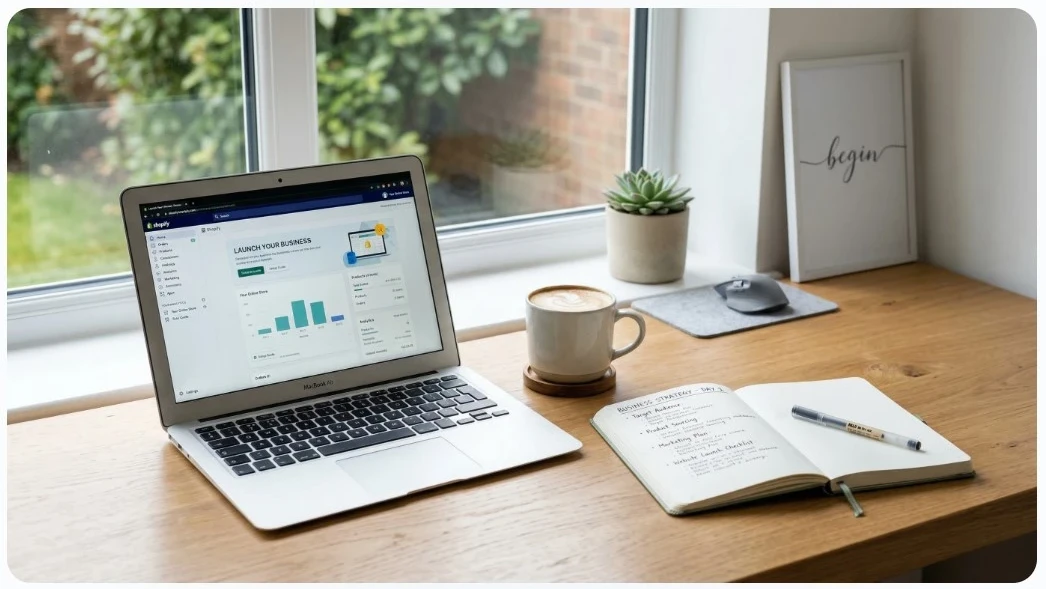
For example, let’s place this AI image prompt into the WA Image Studio.
AI Image Prompt:
“A clean, modern workspace with a laptop, coffee cup, and notebook, soft natural lighting, minimalist style, representing starting an online business, high resolution”
I have lots of image sizes to choose from: 2:3, 9:16, 16:9, and seven others.
Here’s the image that was created! I can modify any aspect of the image. If I want to place myself in the image, I can do that too!
Step 2: Create Your AI Image (Simple Process)
Here’s the part most people overcomplicate.
You don’t need to learn design. You just need to learn how to describe what you want.
Basic formula for AI prompts:
👉 Subject + Setting + Style + Mood
Example:
“A person working on a laptop in a cozy home office, warm lighting, modern style, focused and productive mood”
That’s it.
How I personally do this:
I use the AI Image Studio inside Wealthy Affiliate, because:
- It’s built into the platform that is designed to grow an online business
- No extra subscriptions
- Designed for bloggers and affiliate marketers
👉 Instead of bouncing between tools, I can create images while writing my content.
👉 See it in action here:
👉 [Try Wealthy Affiliate AI Tools]
Step 3: Create Images That Get Clicks (Not Just Look Pretty)
This is where most beginners go wrong.
They create “nice” images…
…but not clickable images.
What actually works:
- Clear subject (no clutter)
- Emotion (freedom, success, frustration, curiosity)
- Contrast (light vs dark, bold colors)
- Simple message
📍 Pinterest-Style Example
AI Image Prompt:
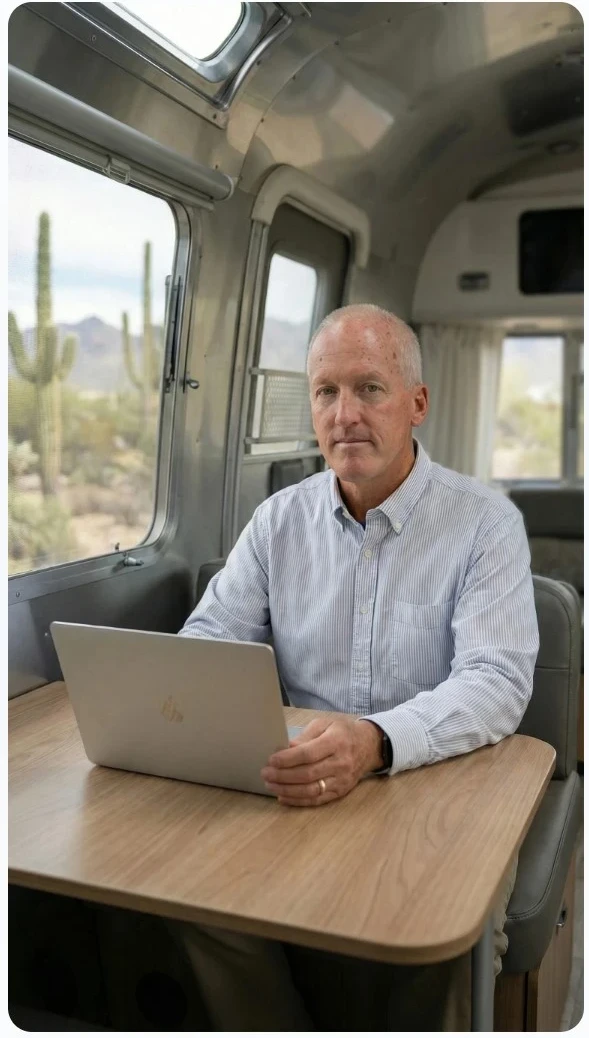
“A confident middle-aged entrepreneur sitting inside a modern silver Airstream-style RV, working on a laptop at a clean, minimalist desk. Soft natural light coming through large windows with a desert landscape outside. Calm, focused expression symbolizing experience and consistency. Cinematic lighting, shallow depth of field”
This AI image of me is for a Pinterest pin that focuses on the ease of operating an online business from an RV while traveling to any desired US locations.
Step 4: Use AI Images in Your Content (This Is Key)
Creating images is only half the game.
👉 You need to use them strategically.
Here’s how I use mine:
In blog posts:
- Add 3–6 images per post
- Break up text (keeps readers engaged)
On Pinterest:
- Create 3–5 pins per article, sometimes more
- Link back to my website content
On social media:
- Reuse the same images with different captions
👉 This is exactly how I drive traffic without paying for ads.
Having everything in one place (like Wealthy Affiliate) makes this process much easier.
👉 Start here if you want to simplify everything, check it out for FREE!
👉 [Get Access to Wealthy Affiliate]
Step 5: Turn Images Into Traffic (Pinterest Strategy)
If you’re not using Pinterest yet, you’re missing a huge opportunity.
Pinterest is basically a search engine for images.
Simple strategy:
- Create a blog post
- Create 3–5 AI images (Pinterest pins)
- Upload to Pinterest
- Link back to your article
That’s it. This is a better way to drive traffic to a website rather than relying solely on Google SEO (search engine optimization)
Also, over time, those pins can bring traffic for months (even years).
📍 Traffic-focused image
AI Image Prompt:
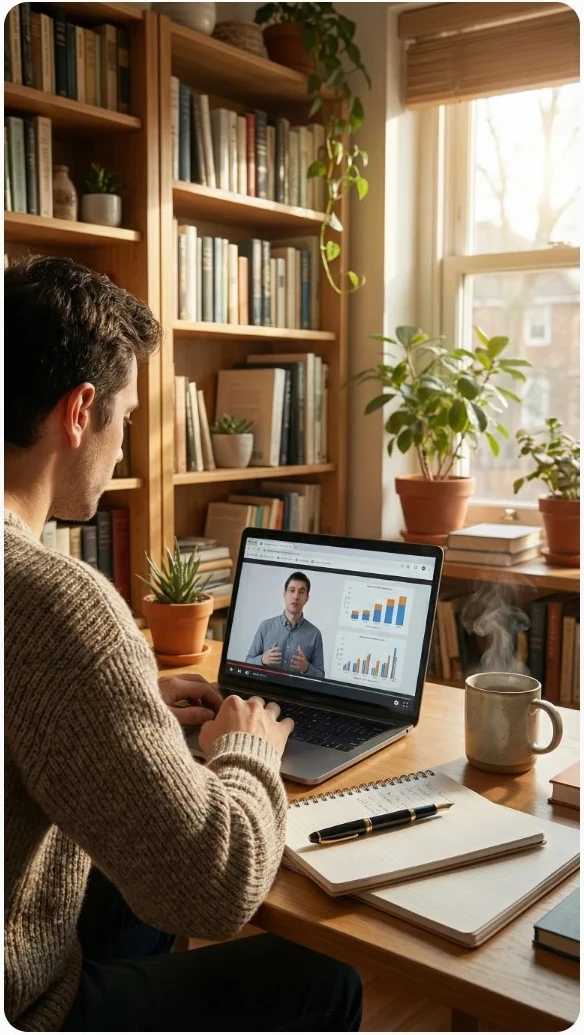
“A digital marketer analyzing website traffic on a laptop with charts and graphs, modern home office, bright and professional style”
Here’s the result in a hyperrealistic format:
Common Mistakes to Avoid
Let me save you some time here.
❌ Mistake #1: Overcomplicating it
You don’t need perfect, you need done
❌ Mistake #2: Using random images
Every image should match your content
❌ Mistake #3: Not using images at all
Big mistake! This kills engagement
❌ Mistake #4: Using too many tools
This is why I recommend an all-in-one platform
Why I Use Wealthy Affiliate for AI Images
I’ve had an online business since 2014, and here’s what I’ve learned:
👉 The simpler your system, the more consistent you’ll be. I was using multiple platforms and paying for them in order to create images of this quality.
That’s why I use Wealthy Affiliate!
Here’s what I like:
- AI Image Studio is built in
- Website + hosting included
- Step-by-step training: video, live help, and an active and supportive community
- Everything in one place. Everything to start an online business!
Instead of juggling 5 tools, I simply log in and get to work.
Final Thoughts: Keep It Simple and Take Action
If you’re waiting until everything is perfect, you’ll never start.
AI images give you a superior advantage right now.
- Faster content creation
- Better-looking posts
- More traffic opportunities
👉 But tools don’t make money, taking action does
👉 Ready to Try It for Yourself?
If you want to:
- Create amazing AI images
- Build a website
- Learn affiliate marketing step-by-step
- Make money online
👉 Start here:
👉 [Join Wealthy Affiliate and Test the AI Tools]